mawartoto delta Casino & Sportsbook Mobile App
We at mawartoto delta offer a mobile app and web-based platform so you can access sportsbook markets, live-dealer tables, slots, and esports betting from your phone or tablet. Mobile-first design means faster load times, offline caching for key data, and push notifications for live scores and game updates. Our app is available for Android via APK download and for iOS through a browser-based progressive web app, with a responsive web version for all devices.

- Installin
- StartFirst Game
- SHA256 Match
Installing the mawartoto delta app takes a few minutes and requires only your device and an internet connection. Once installed, you can register a new account, verify your identity, deposit via DANA, e-wallet, mobile banking, local payment, online payment, e-wallet, or bank transfer, and start placing wagers on Liga 1, Piala AFF, Champions League, live blackjack, roulette, Aviator, and other games. The app stores your login credentials securely and syncs your account balance and transaction history in real time.
This guide covers installation steps for Android and iOS, app vs browser trade-offs, device compatibility, common setup issues, and security practices for protecting your account on mobile.
Download and Install mawartoto delta
Installation Paths
We offer three ways to access mawartoto delta on mobile: Android APK download, iOS progressive web app, and responsive web browser. Choose the path that suits your device and preference.
-
1
Download the APK fileAndroid
Visit mawartotodelta.com on your Android device, tap the download link, and save the APK file to your device storage.
-
2
Enable unknown sourcesAndroid security
Go to Settings > Security > Unknown Sources and toggle it on. This allows your device to install apps from sources other than the Google Play Store.
-
3
Install the appComplete setup
Open your file manager, locate the APK file, and tap it to begin installation. Follow the on-screen prompts to complete the process.
-
4
Register or log inAccount access
Open the app, create a new account or sign in with your existing credentials, and verify your identity with an ID document and selfie.

Key takeaways
- Android users download the APK directly from our site and enable unknown sources in device settings
- iOS users access mawartoto delta through a progressive web app in Safari or Chrome
- Web browser access works on all devices without installation
- Account registration and verification take subject to verification
- All platforms sync your balance and transaction history in real time
App Features and Device Compatibility
App vs Browser: Strengths of Each
The mawartoto delta app offers offline caching, which stores recent game data and account information locally so you can view your balance and recent wagers even without an internet connection. Push notifications alert you to live-score updates, game results, and promotional offers in real time. The app also loads faster than the browser version because it caches static assets like images and stylesheets. However, the browser version requires no installation and works on any device with a web browser. Choose the app for speed and notifications; choose the browser for simplicity and cross-device access.
Device Requirements
We at mawartoto delta support Android 7.0 and later on phones and tablets. iOS users can access our platform through Safari or Chrome on iOS 12 and later. For the best experience, use a device with at least 2 GB of RAM and a stable internet connection (WiFi or 4G/5G). Older devices may experience slower load times or occasional lag during live-dealer sessions, but the app remains functional on most modern smartphones.

Common Installation Issues
If the APK file does not install on Android, first check that unknown sources are enabled in your device settings. Some devices require you to grant file-manager permissions before the installation can proceed. If you see a certificate warning, this is normal for APK files downloaded outside the Play Store; tap "Install anyway" to continue. If the app crashes on launch, try clearing your device cache (Settings > Apps > mawartoto delta > Storage > Clear Cache) and restarting your phone. For iOS users, if the progressive web app does not load, clear your browser cache and cookies, then revisit mawartotodelta.com. If problems persist, contact our support team through live chat or email.
- APK file
- Android application package; a file format for distributing and installing apps on Android devices outside the Google Play Store.
- Progressive web app
- A web-based app that works in your browser and can be saved to your home screen for quick access, without requiring installation.
- Offline caching
- Local storage of app data so you can view certain information (like your balance) even without an active internet connection.
- Push notification
- A message sent to your device by the app to alert you to live scores, game results, or account updates.
Security and Account Protection on Mobile
Data, Permissions, and Account Safety
The mawartoto delta app requests permission to access your device's camera (for identity verification selfies), microphone (for live-dealer chat), and location (optional, for regional content). We do not share these permissions with third parties. Your login credentials are encrypted and stored securely on your device. When you log in, your session is protected by industry-standard encryption so your password and account data are not visible to others on your network. Always use a strong, unique password and do not share your login details with anyone. If you suspect your account has been compromised, change your password immediately and contact our support team.
Keeping Your Account Secure
We recommend enabling two-factor authentication (2FA) on your mawartoto delta account if available. Log out of the app when you finish your session, especially on shared devices. Do not use public WiFi to access your account; use a private network or mobile data instead. Regularly review your transaction history in the app to spot any unauthorized activity. If you lose your device, log in to your account from another device and change your password to prevent unauthorized access. Our support team can help you recover your account if you forget your password or lose access to your registered email or phone number.
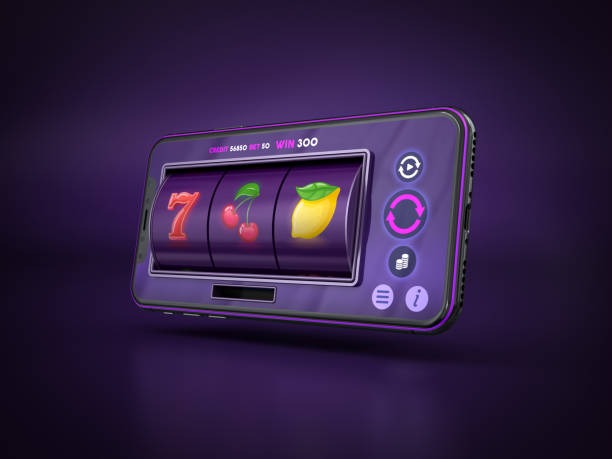
Mobile access to mawartoto delta means you can check live scores, place wagers on Liga 1 and Piala AFF matches, and withdraw your balance from anywhere with an internet connection.
We at mawartoto delta are committed to keeping your data protected and your account secure. Our app uses the same encryption and security standards as our web platform. We do not store your payment information on your device; all transactions are processed through secure payment gateways. Your account data is backed up on our servers and can be recovered if your device is lost or damaged. If you have questions about app security, data privacy, or account recovery, our support team is available through live chat, email, or phone during standard business hours in English and local languages.
The mawartoto delta app is designed for users in supported jurisdictions who want fast, secure access to sportsbook markets, live-dealer tables, and slots from their mobile device. Installation takes minutes and requires no technical knowledge.